
How to Reduce Eye Strain on Mac: Best Color Temperature Settings
If you stare at a Mac screen for 8+ hours a day, you know the feeling: dry, gritty eyes, headaches, and trouble focusing. Or maybe you can’t sleep after late-night coding sessions. This is Computer Vision Syndrome (CVS), and your Mac’s default display settings are a major culprit.
Want Night Shift to just stay on? Night Shift Keeper does it automatically. Free to download.
Download Free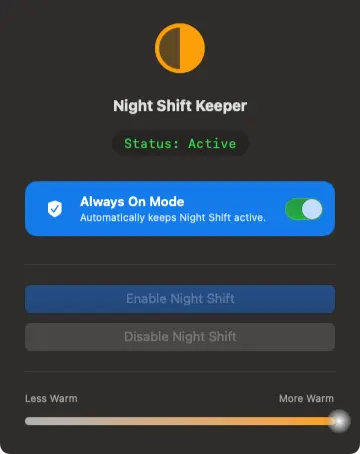
The Culprit: Blue Light
Mac displays are engineered to be bright and color-accurate, which means they emit a significant amount of high-energy visible (HEV) blue light. During the day, blue light boosts alertness. But prolonged exposure, especially in the evening or in dimly lit offices, causes digital eye strain and disrupts your circadian rhythm (sleep cycle).
Best Color Temperature Settings for Working All Day
The solution isn’t to stop working—it’s to adjust your display’s "temperature." Color temperature is measured in Kelvin (K). Lower numbers are warmer (more yellow/red), and higher numbers are cooler (more blue).
- Daytime (Standard): ~6500K. This is the default "cool white" of most screens. Good for color accuracy but fatigue-inducing over long periods.
- Daytime (Sensitive Eyes): ~4500K - 5500K. A slightly warmer white that reduces glare without distorting colors too much. Ideal for "blue light filter for designers mac" users who need a balance.
- Evening/Night: ~2700K - 3400K. This is the "incandescent bulb" range. It mimics sunset light, signaling your brain to wind down.
The Importance of Consistency
Your eyes are constantly adjusting to light. Rapid changes are stressful. If you rely on macOS Night Shift’s default scheduling, your screen abruptly shifts from warm to cool at sunrise or after a reboot.
This jarring transition causes pupil constriction and immediate strain. For maximum comfort, many users find that keeping a consistent, warmer temperature 24/7 is vastly superior to cycling between cool and warm. This is especially true if you work in an office with warm ambient lighting—your cool screen clashes painfully with your environment.
How to Maintain Consistent Warmth
Unfortunately, macOS fights this. It forces Night Shift off during the day. You can toggle it manually, but it resets if your Mac sleeps.
The Permanent Fix: Night Shift Keeper
To effectively "reduce eye strain computer screen mac," you need control. Night Shift Keeper allows you to lock your Mac into a warm, eye-soothing color temperature all day long.
It overrides macOS’s rigid schedule to prevent sudden flashes of blue light. Whether you’re a designer needing a quick toggle or a writer needing 24/7 sepia tones, it ensures your screen respects your eyes.
Protect Your Vision with One Click
Keep your screen warm and comfortable, 24/7.
Download Free for macOSFree to download and try • Always On unlocks with a one-time $16.99 license • 7-day money-back guarantee